Token Leverage (Multiply)
Amplify your token exposure by using it as collateral to borrow another asset, convert that back into more of the original token, and redeploy, all in one transaction. This is the Multiply (leverage loop) feature.
Example: You hold WBTC and want 3x leveraged exposure to BTC. VII Finance borrows WETH against your WBTC, converts the WETH back to more WBTC, and deposits it, looping until your target leverage is reached.
When to use this: You are bullish on your collateral asset and want amplified exposure without selling. The net cost is the borrow interest on WETH, which ideally stays lower than any yield or appreciation you earn on the collateral.
At 3x leverage with 0.01 WBTC (~$705):
- Total WBTC collateral after looping: 0.03 WBTC (~$2,115)
- WETH debt: 1.09 WETH (~$2,257)
- Your LTV is 76% against a liquidation LTV of 75%
- Net APY shows the gain from leveraged exposure minus borrow cost
Leverage amplifies both gains and losses. A sharp drop in your collateral's value relative to the borrowed asset accelerates you toward liquidation. Use leverage conservatively and monitor your health score.
Prerequisites
- Wallet that supports EIP-7702 connected to VII Finance (Here's the list of all wallets that are supported)
- WBTC (or another token) in your wallet
- Enough ETH for gas fees
Step 1: Open the Markets Page
Navigate to Markets using the top navigation bar. You will land on the Create Positions page with the Tokens tab active.
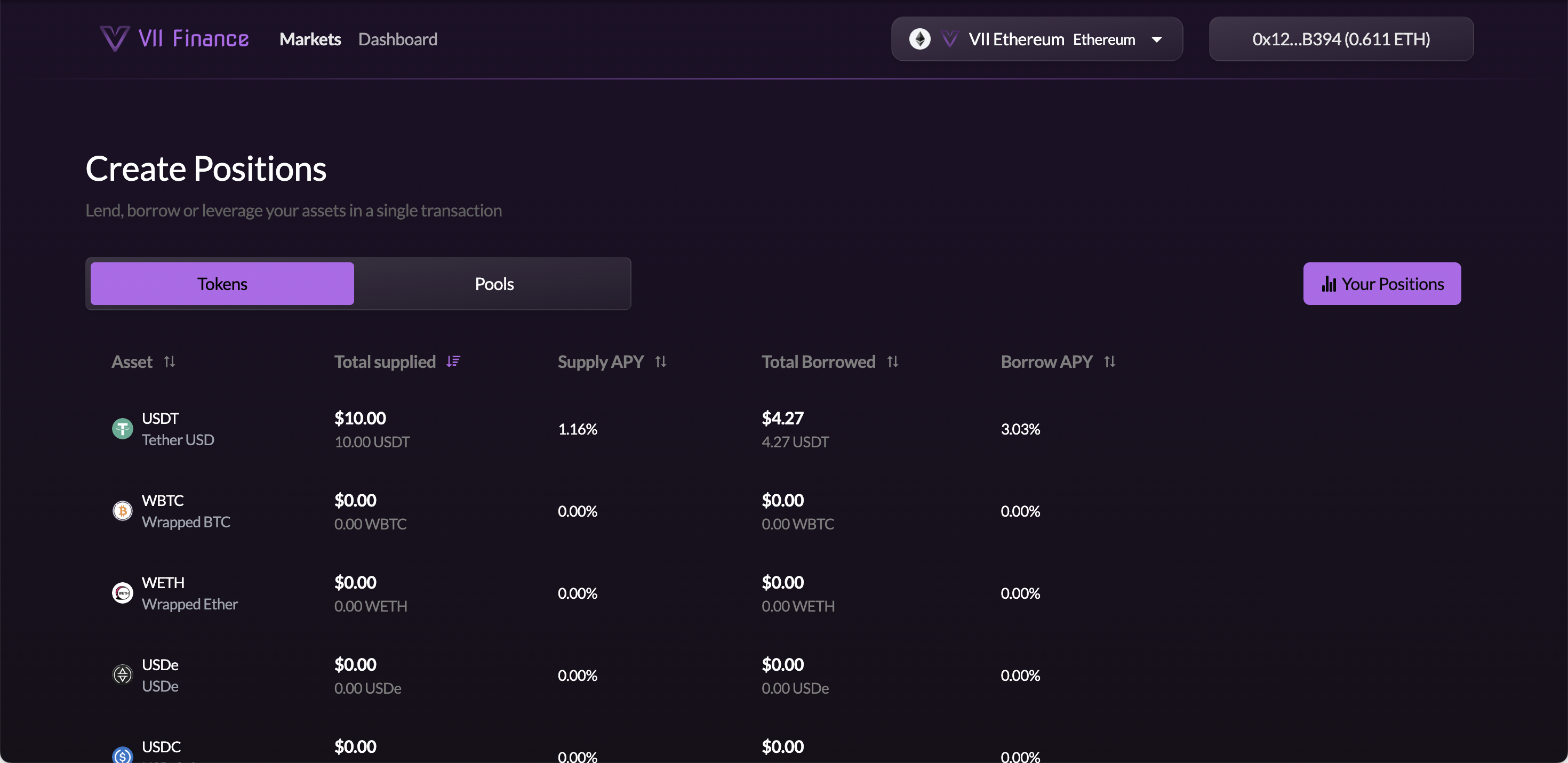
Step 2: Find the Debt Token Vault and Click Borrow
Find the vault for the token you want to borrow (e.g. WETH). You will borrow WETH against your WBTC collateral. Hover the row. Supply, Borrow, and Leverage buttons appear on the right.
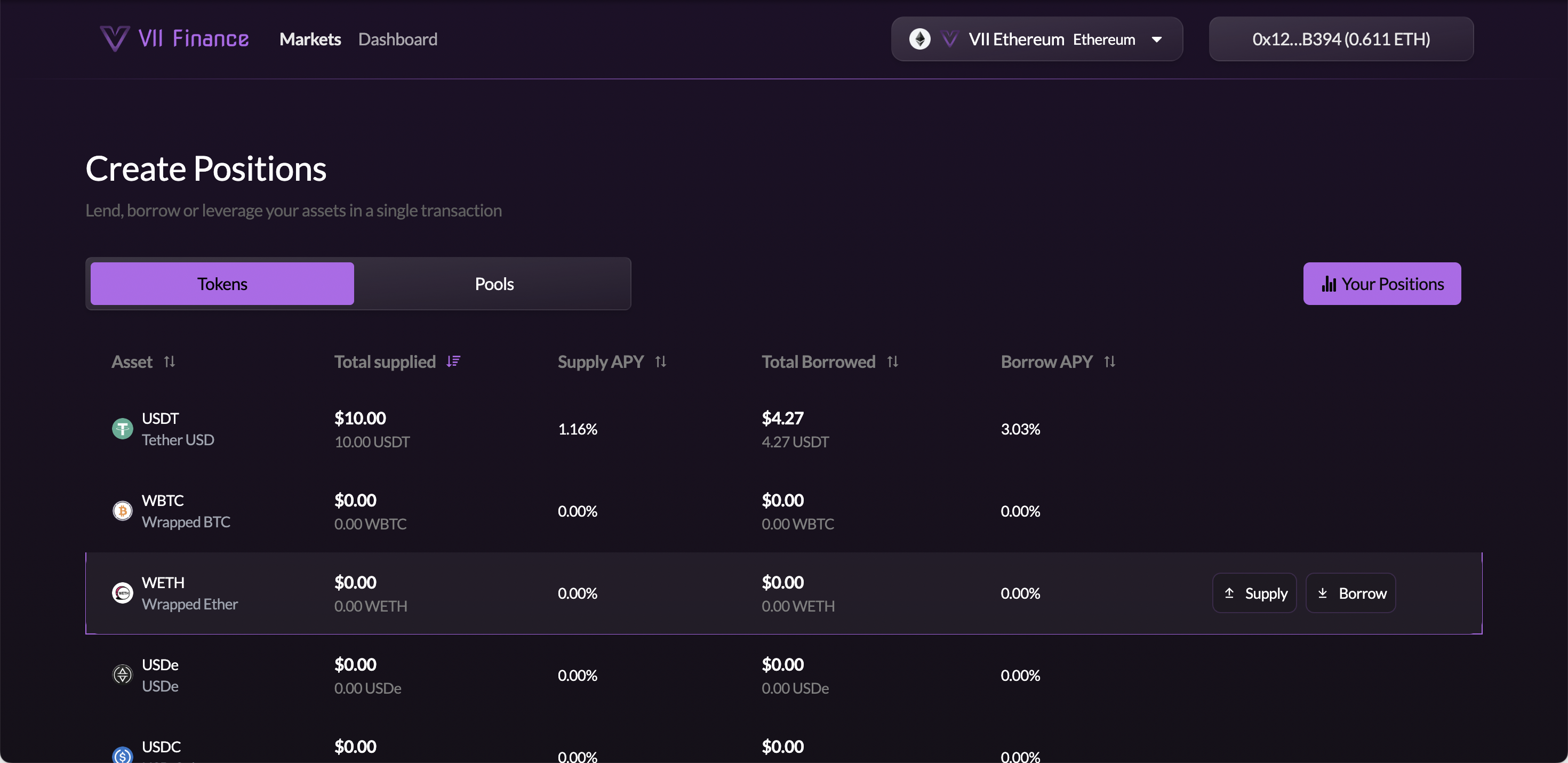
Click Borrow.
Step 3: Switch to the Leverage Tab
You arrive on the Create Position page with the Borrow tab active. Click the Leverage tab to switch.
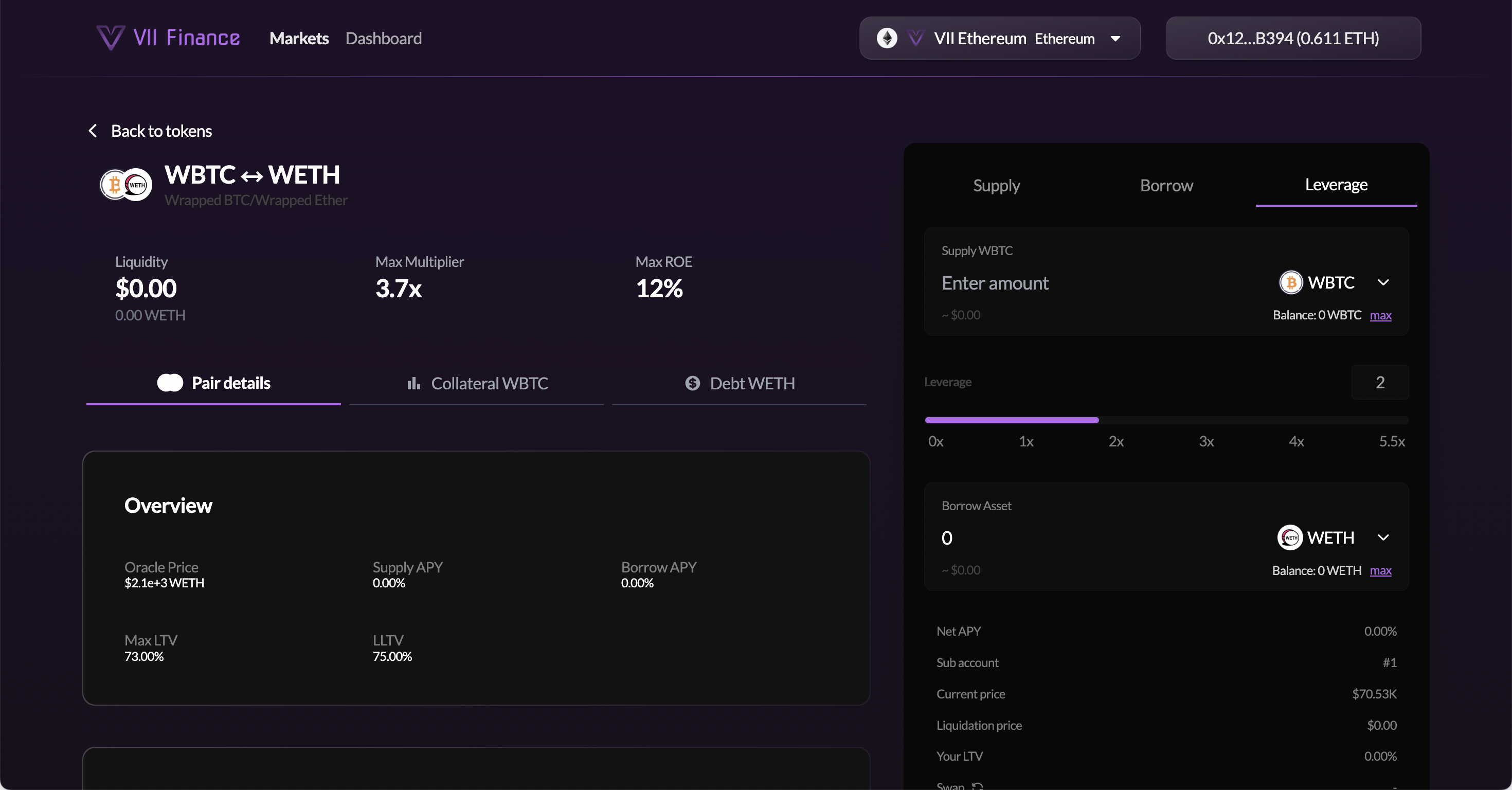
The right panel shows:
- Supply [token]: the collateral dropdown lets you pick any eligible token (e.g. WBTC, USDe, USDC, USDT)
- Leverage slider: drag to set your multiplier (e.g. 0x to 5.5x for WBTC/WETH)
- Borrow Asset: the debt token for this vault (e.g. WETH), auto-selected
The left panel shows:
- Liquidity, Max Multiplier, Max ROE: at-a-glance vault stats
- Pair details tab: Oracle Price, Supply APY, Borrow APY, Max LTV, Liquidation LTV
- Collateral [token] tab: LTV risk parameters for your chosen collateral
- Debt [token] tab: borrow rate and available liquidity
Select your collateral token from the dropdown (e.g. WBTC). Enter your collateral amount.
Step 4: Set Your Leverage
Drag the Leverage slider to your desired multiplier. The range depends on the pair's Max LTV. For WBTC/WETH, the slider goes up to 5.5x.
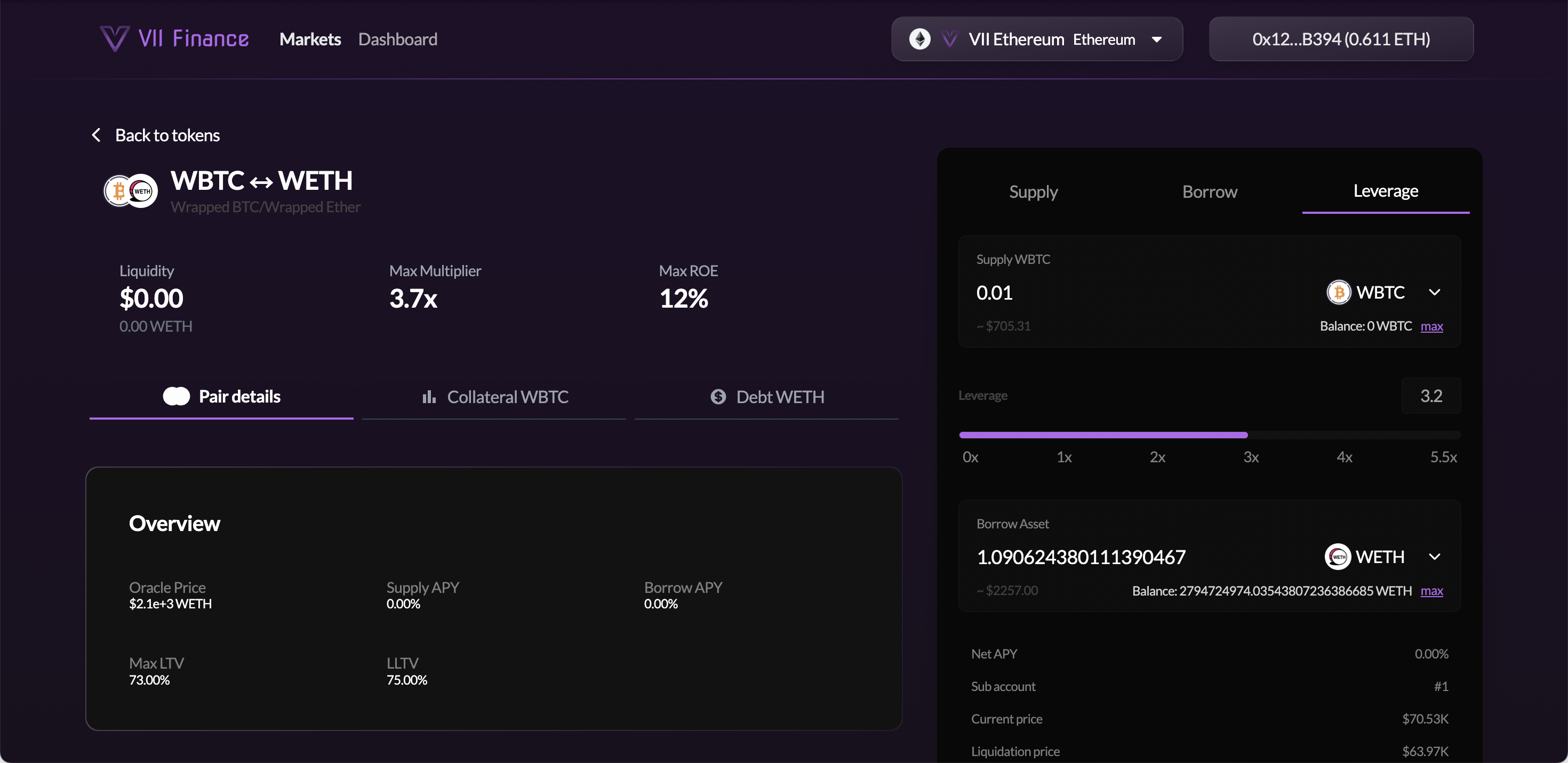
As you move the slider:
- Borrow Asset amount updates: more leverage = more debt = more collateral after looping
- Your LTV rises: higher leverage leaves less buffer before liquidation
- Net APY updates: gain from leveraged asset exposure minus borrow cost
- Liquidation Price updates: the collateral price at which liquidation is triggered
Start at 2x–3x leverage. The maximum multiplier is limited by the vault's LTV ratio. Going near the max leaves very little buffer for price moves.
Step 5: Review Metrics and Submit
Before submitting, review the full metrics panel:
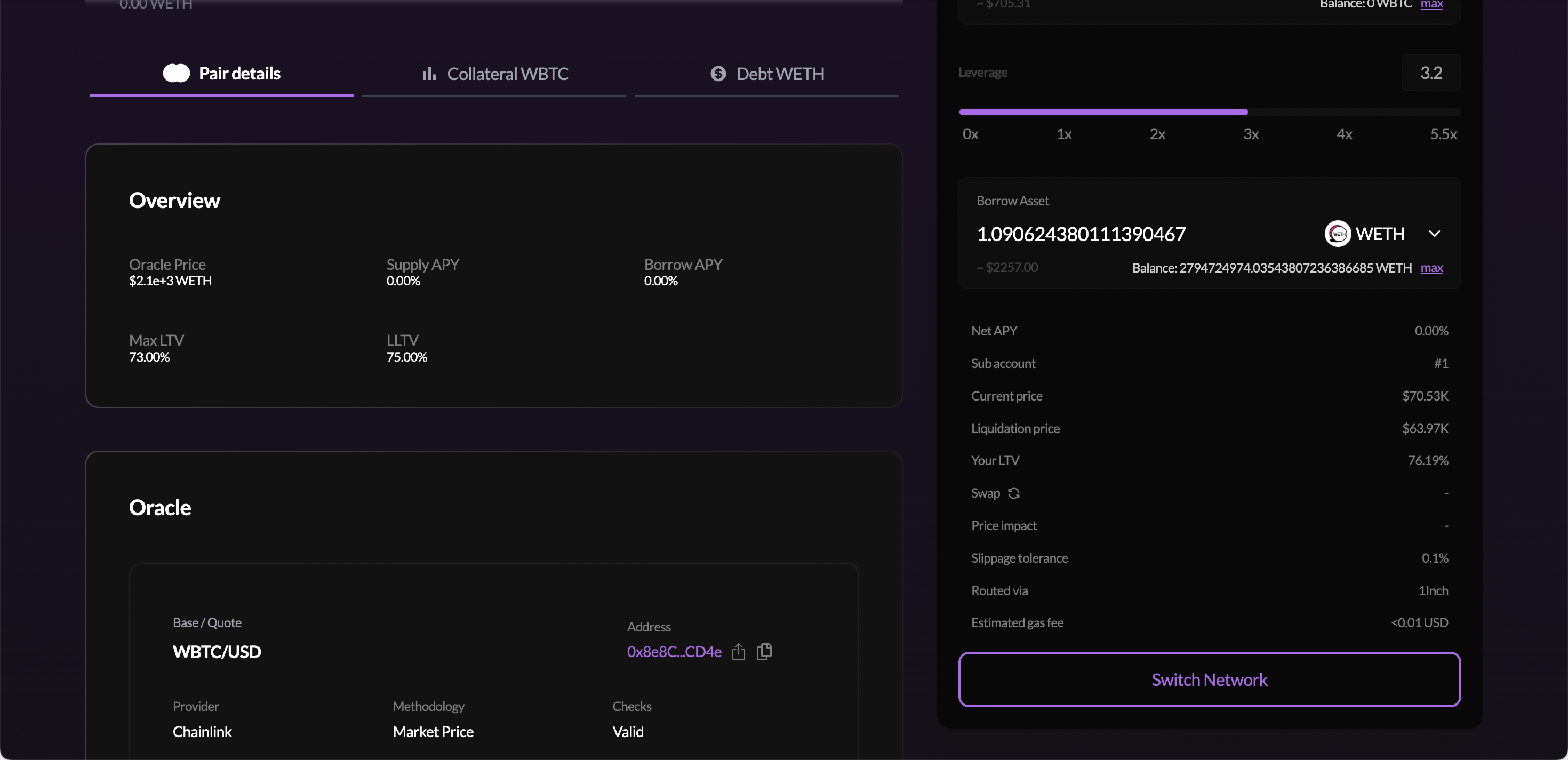
| Metric | What it means |
|---|---|
| Net APY | Leveraged asset yield minus borrow interest |
| Sub account | The Euler sub-account that will hold this position |
| Current price | Live oracle price of the collateral asset |
| Liquidation price | The collateral price at which liquidation is triggered |
| Your LTV | Current loan-to-value ratio |
| Liquidation LTV | Maximum LTV before liquidation is triggered |
| Swap | Estimated swap route (click the refresh icon for the latest quote) |
| Price impact | Estimated slippage from swapping within the loop |
| Slippage tolerance | Maximum acceptable slippage (default 0.1%) |
| Routed via | DEX aggregator used (e.g. 1Inch) |
| Estimated gas fee | Approximate transaction cost |
Click the refresh icon next to Swap before submitting to get the latest on-chain quote. The loop involves swapping the borrowed asset back to the collateral asset, and stale rates can result in worse effective leverage.
Check the Liquidation Price before confirming. Even correlated assets can diverge enough during volatile markets to trigger liquidation at high leverage.
If your wallet is on the wrong chain, click Switch Network and approve the switch.
Click the submit button. Your wallet confirms a batch transaction that executes the full leverage loop atomically:
- Deposits your collateral (e.g. WBTC) into the collateral vault on your sub-account
- Borrows the debt asset (e.g. WETH) against it. The borrowed tokens are sent directly to the on-chain Swapper contract (not your wallet)
- The Swapper executes WETH → WBTC via 1Inch (or another DEX aggregator)
- The resulting WBTC is re-deposited into the collateral vault on your sub-account
- The above steps are computed to hit your target leverage in one atomic transaction. There is no actual looping; the math determines the single borrow amount needed upfront
Unlike a standard borrow, no tokens are sent to your wallet during this transaction. The borrowed debt and re-converted collateral all stay within the protocol's sub-account and vault system. Your net gain is increased collateral exposure on your sub-account.
Managing Your Leveraged Position
After confirmation, go to Dashboard, then the Borrow tab. Your position card shows your total leveraged collateral value, debt value, health score, and LTV.
Your leveraged collateral is also visible under the Supply tab, since the collateral vault holds your WBTC shares. The Borrow tab gives you the consolidated view with health score and management actions.
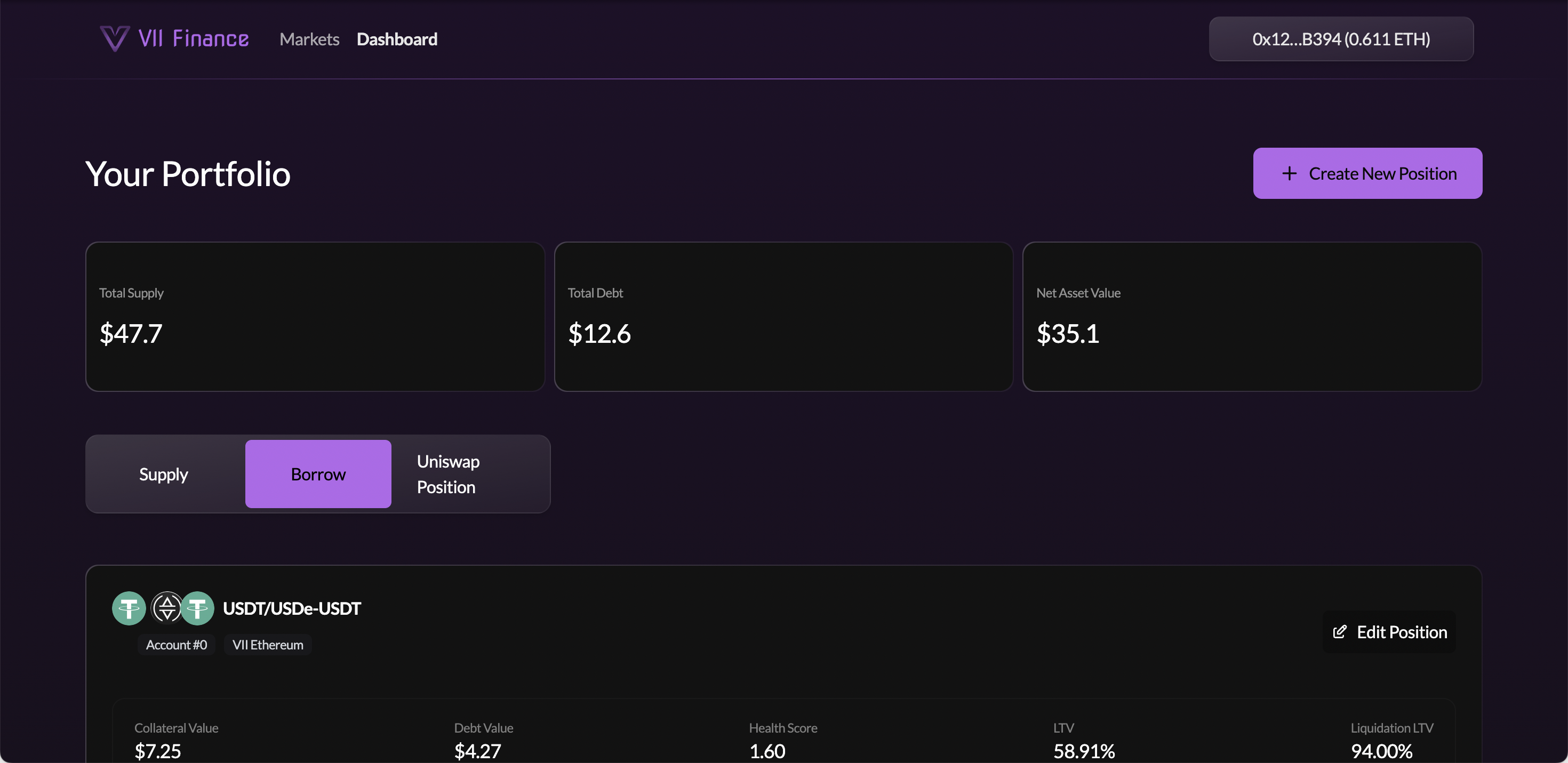
Click Edit Position to open the position detail page where you can:
Debt section:
- Repay: pay back debt to reduce leverage and improve health score
- Borrow: increase your debt to add more leverage
Collateral section:
- Supply: add more collateral to improve your health score
- Withdraw: remove collateral (only if health score allows)
- Disable: remove the asset from acting as collateral
To fully exit: repay all debt and withdraw your collateral. If you don't have enough of the debt token on hand, withdraw some collateral first, swap it to the debt token, and repay in stages.