Borrowing Against Your Uniswap LP Position
Use a Uniswap V4 LP position as collateral to borrow tokens from VII Finance, without unwinding your position. Your LP keeps earning swap fees while backing your loan.
When to use this: You are an active LP who wants liquidity without closing your position. Borrow WETH or USDC against your ETH/USDC LP and put that capital to work elsewhere.
Your LP position's collateral value fluctuates with token prices and impermanent loss. If the value drops enough to breach the liquidation LTV, your position may be partially liquidated. Monitor your health score regularly.
Prerequisites
- Wallet that supports EIP-7702 connected to VII Finance (Here's the list of all wallets that are supported)
- An existing Uniswap V4 LP position (created on VII Finance or Uniswap app)
- Enough native gas token for transaction fees
Step 1: Go to Uniswap Position Tab In Dashboard
Navigate to Dashboard using the top navigation bar. Click the Uniswap Position tab to see all your LP positions.
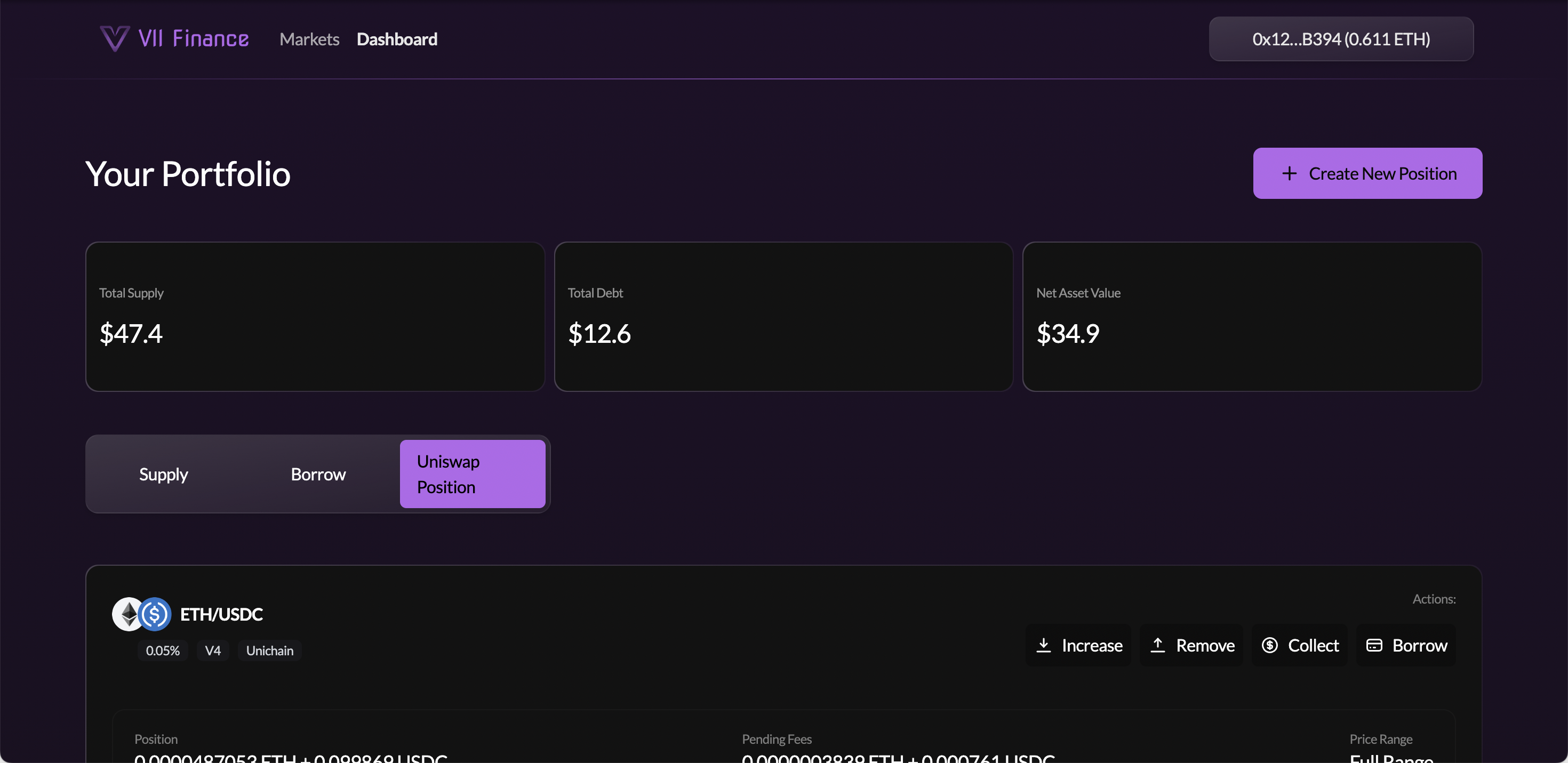
Each LP card shows:
- Token pair: pair icons, fee tier, version badge (V4), and network
- Position: current token amounts in the LP
- Pending Fees: uncollected swap fees earned
- Price Range: your active range, or "Full Range"
Action buttons on each card: Increase, Remove, Collect, Borrow
Step 2: Click Borrow on the LP Card
Locate the LP position you want to borrow against and click the Borrow button on its card.
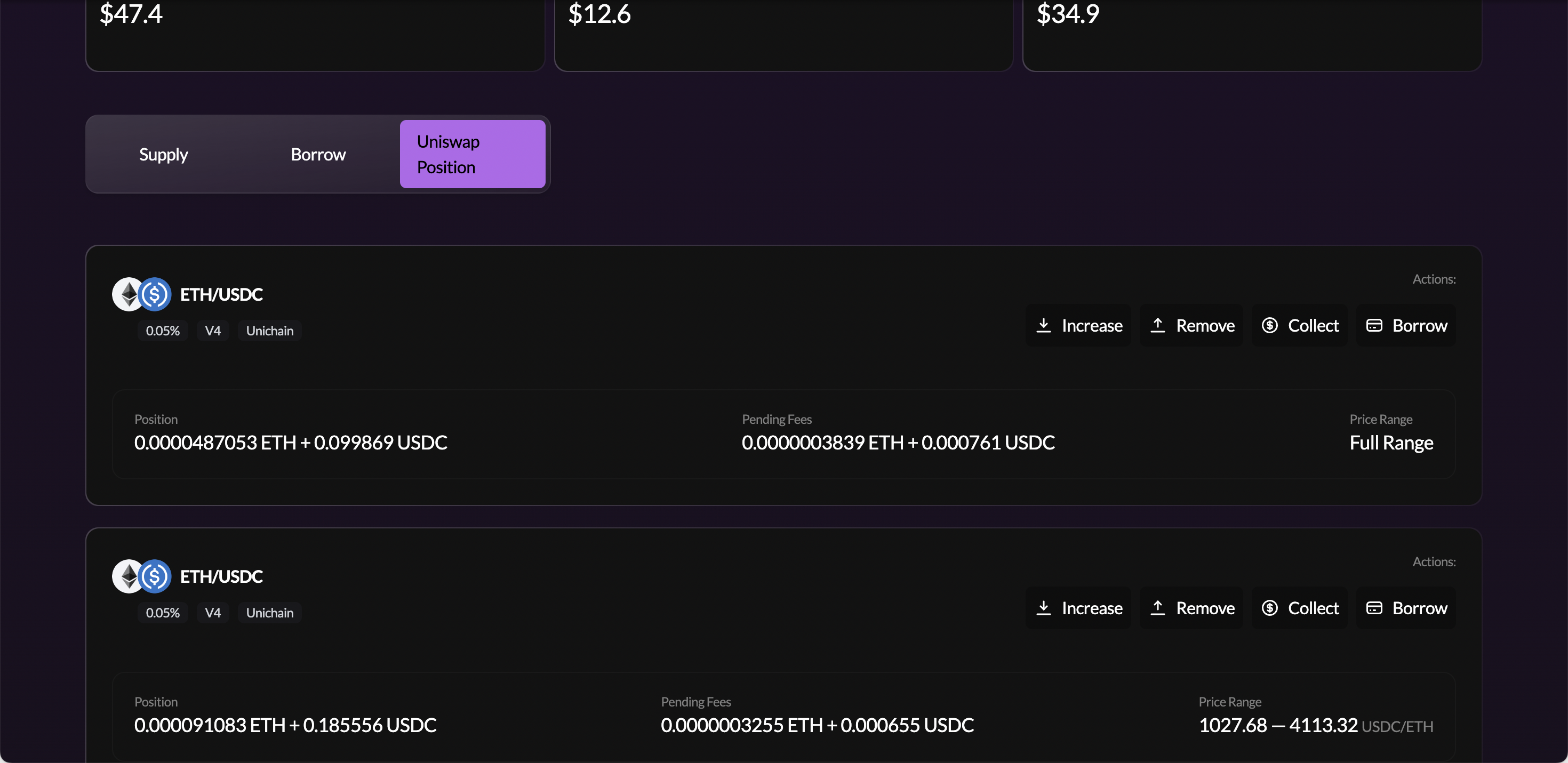
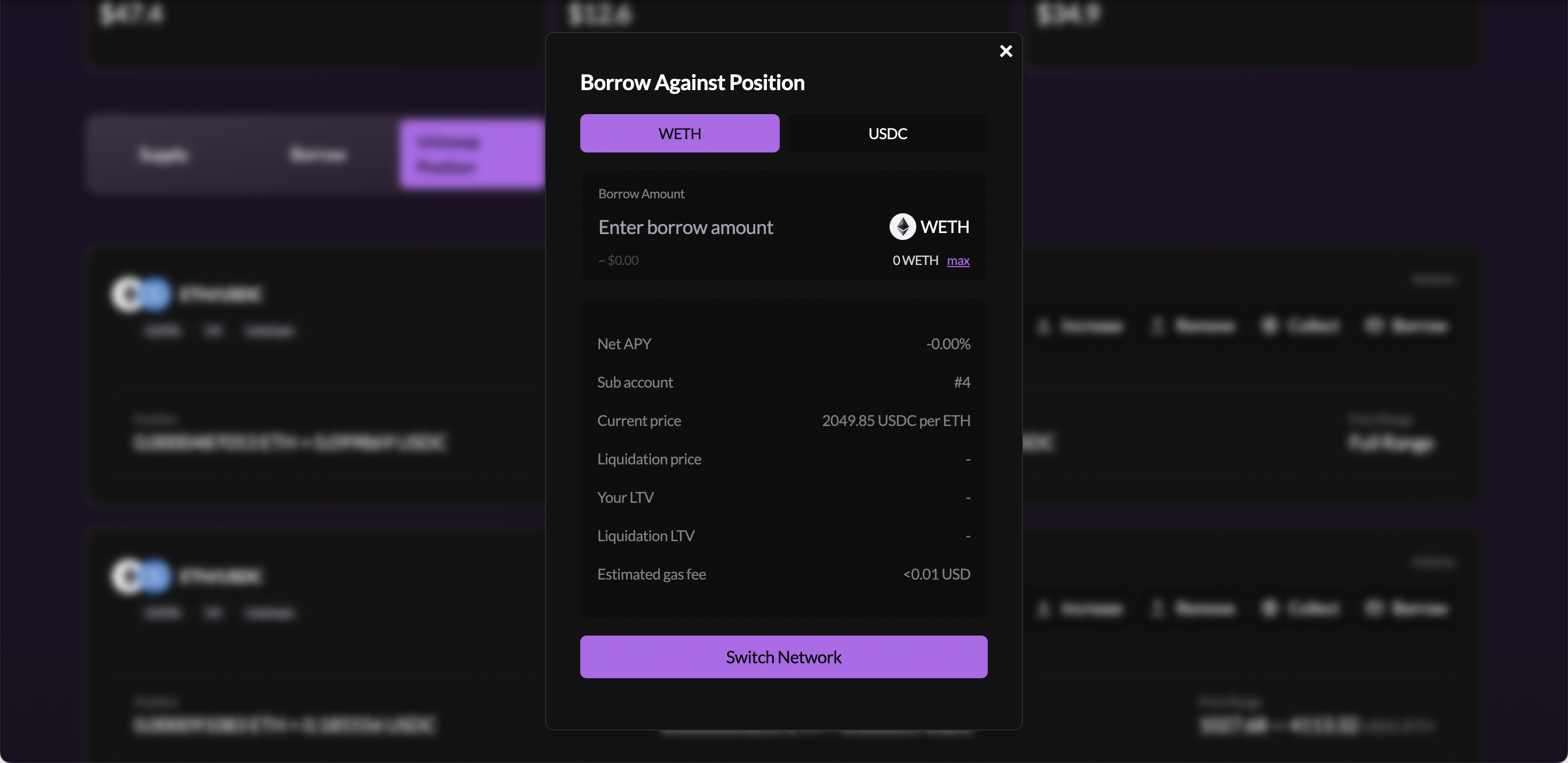
This opens the Borrow Against Position modal.
Step 3: Select the Token to Borrow
In the modal, choose which asset you want to borrow using the token selector tabs at the top (e.g. WETH or USDC for an ETH/USDC pool).
Step 4: Enter the Borrow Amount
Type the amount you want to borrow in the Borrow Amount field. The metrics panel updates in real time as you type.
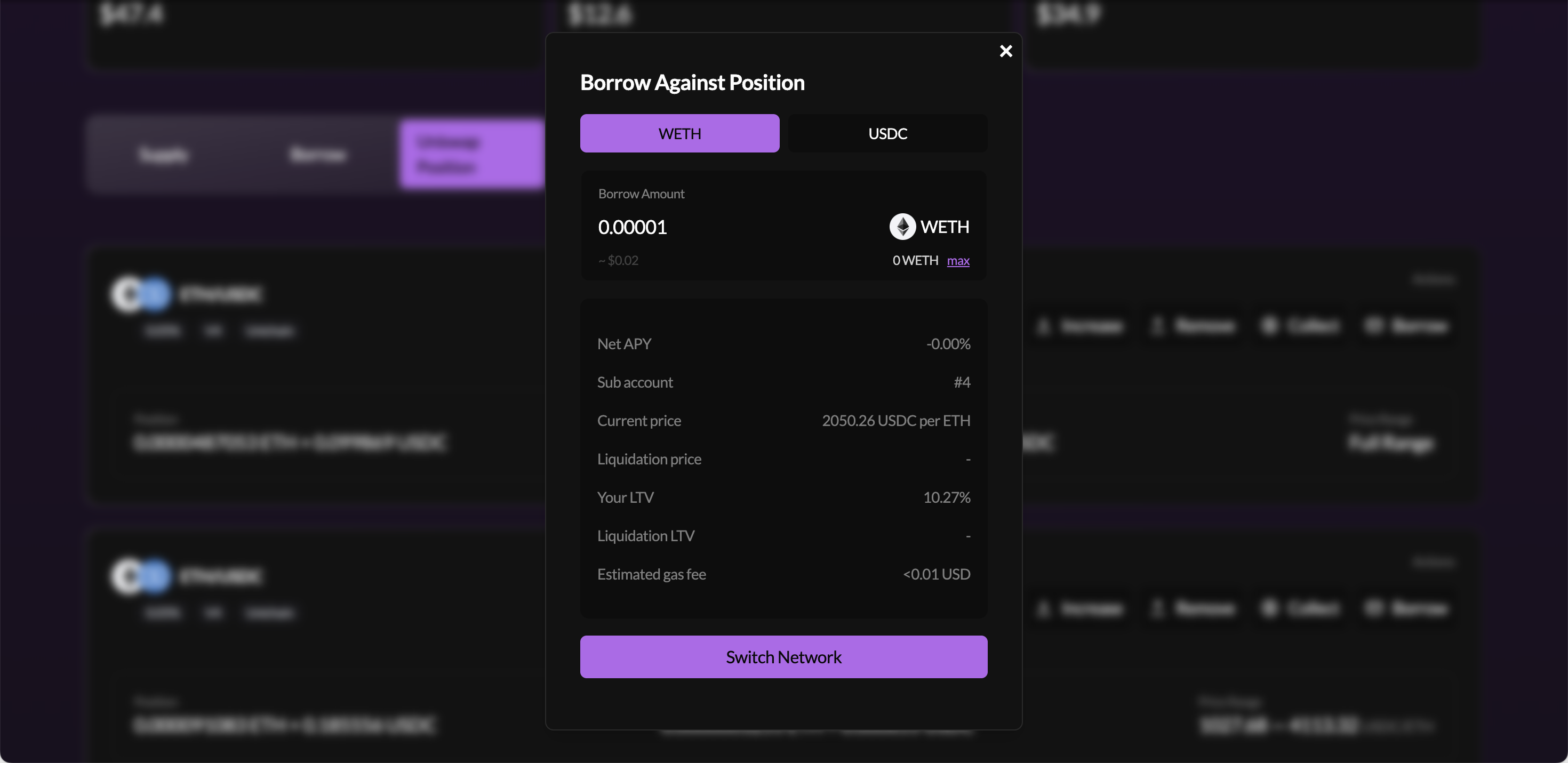
| Metric | What it means |
|---|---|
| Net APY | Net yield from LP fees minus borrow cost |
| Sub account | The Euler sub-account that will hold this borrow position |
| Current Price | Live oracle price for the collateral valuation |
| Liquidation price | The price at which your position can be liquidated |
| Your LTV | Current loan to value ratio. Increases as you borrow more |
| Liquidation LTV | The LTV threshold at which liquidation can be triggered |
| Estimated gas fee | Approximate transaction cost |
LP positions can drop in value during volatile markets due to impermanent loss. Leave headroom between your LTV and the liquidation LTV to avoid liquidation.
Step 5: Submit the Transaction
If your wallet is on the wrong chain, click Switch Network and approve the switch.
Once on the correct network, click the submit button inside the modal. Your wallet will send two prompts:
- Approve the wrapper to transfer your LP NFT: a
setApprovalForAllcall allowing the VII Finance wrapper contract to take custody of your LP NFT - The main borrow transaction: an atomic batch that wraps the NFT, registers it as collateral on your sub-account, and sends the borrowed tokens to your wallet
After both confirm, the borrowed tokens arrive in your main wallet.
After this transaction, your LP NFT is transferred to a VII Finance wrapper contract. It will no longer appear in your wallet's NFT section or in your Uniswap interface. You retain full economic ownership. The wrapper holds the NFT on your behalf, and you can still increase liquidity, collect fees, and manage the position from the Dashboard.
Monitoring Your Borrow Position
Go to Dashboard, then the Borrow tab. Your LP borrow position appears as a card showing Collateral Value, Debt Value, Health Score, LTV, and Liquidation LTV.
Click Edit Position to open the position detail page.
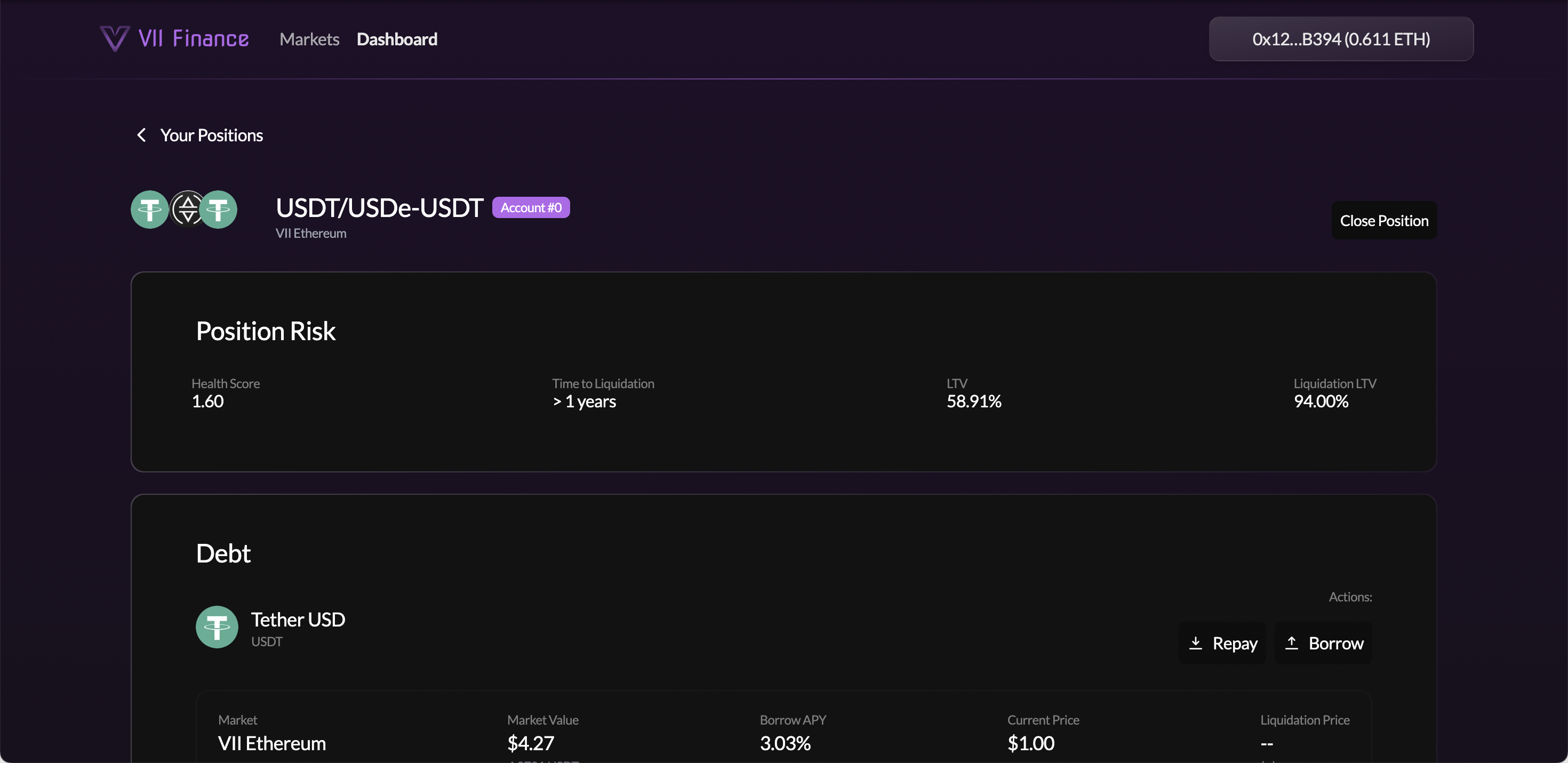
From this page you can:
Debt section:
- Repay: pay back debt to improve your health score
- Borrow: increase your debt
LP Collateral section:
- Increase: add more liquidity to the LP position (increases collateral value)
- Remove: withdraw liquidity from the LP (reduces collateral)
- Collect: claim pending swap fees into your wallet
- Disable: unwraps the LP NFT and returns it to your wallet. Requires all debt to be repaid first; the transaction will revert if debt remains
Swap fees accumulate inside the LP position and count toward its collateral value. Collecting them withdraws the fee tokens to your wallet, which reduces your collateral value and increases your LTV. The Collect modal shows your expected LTV after the action.
The View Position page shows "> 1 years" for Time to Liquidation. This is a static display. The actual time depends on borrow rate accrual and market conditions. Do not rely on it as a precise countdown; monitor your Health Score and LTV directly.